Primary care physicians face increasing pressure. Patient volumes are rising, documentation requirements are expanding, and reimbursement models are becoming more complex.

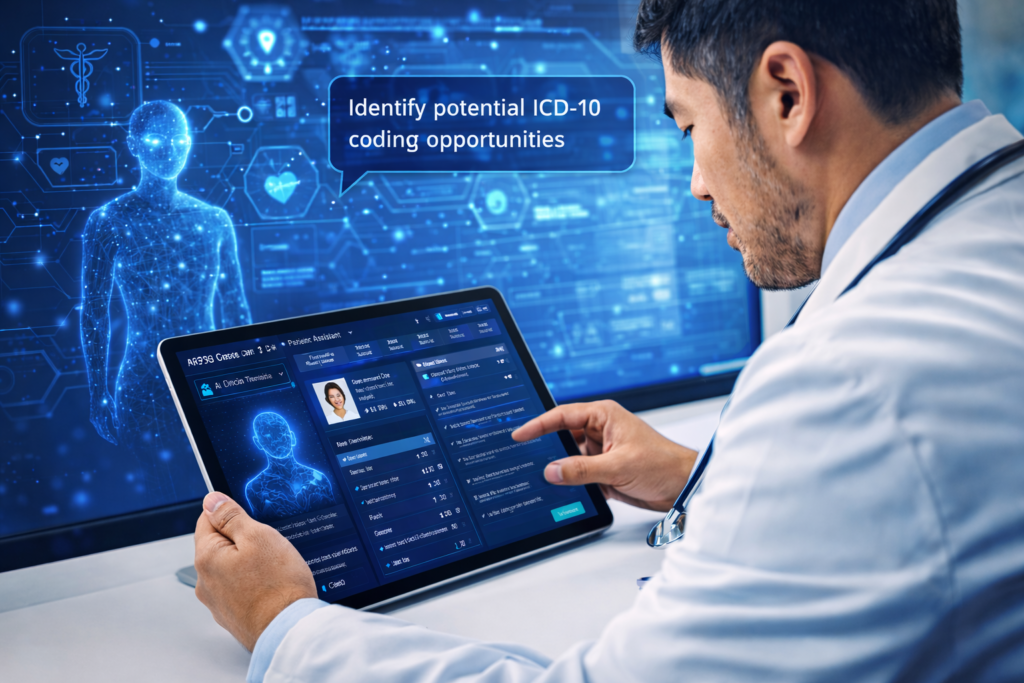
AI-powered EHR systems for primary care are emerging as an important solution. By integrating AI clinical assistants directly into the Electronic Health Record, physicians can review patient charts faster, automate documentation, and identify coding opportunities without spending hours navigating complex medical records.

Unfortunately, many traditional EHR systems still slow clinicians down rather than support them.

This challenge is felt across primary care, family medicine, internal medicine, and pain management practices, where physicians manage large volumes of complex patient data every day.

AI-powered Electronic Health Records are beginning to change the landscape.

Modern platforms introducing AI-enabled EHR systems bring intelligent clinical assistants directly into the physician workflow. These assistants help physicians understand patient data faster, document visits automatically, and identify coding opportunities.

Instead of spending hours navigating charts, providers can focus on what matters most, patient care.

Across the healthcare technology industry, companies are exploring these capabilities. For example, MD Synergy Solutions is researching AI clinical assistant functionality as part of the ongoing evolution of its Althea Smart EHR platform. The platform is being designed with a mobile-first native application architecture, recognizing that physicians increasingly need secure access to patient information directly from their mobile devices as well as the desktop.

Why Primary Care Needs AI-Driven EHR Systems

Primary care providers manage a wide range of patient conditions including chronic disease monitoring, preventive screenings, and care coordination.

This is also true for physicians practicing family medicine, internal medicine, and pain management, where patient charts often contain years of clinical data.

As a result, patient records become complex and difficult to navigate.

Traditional EHR systems require physicians to manually search through years of clinical notes, lab results, medication histories, specialist reports, and imaging studies.

AI changes this experience completely.

With an AI Clinical Assistant, physicians can instantly understand the patient’s medical history, identify risk factors, and prepare for visits without manually reviewing hundreds of data points.

The result is significant time savings, reduced burnout, and better patient care.

Key AI Features Transforming Primary Care EHRs

Chat with the Patient Chart

Imagine being able to ask your EHR questions about a patient.

With AI-powered chart interaction, physicians can type questions such as:

What medications is this patient currently taking?
Show me the last three A1C results.
What chronic conditions does this patient have?
When was the patient’s last MRI?

The AI scans the entire patient record and provides the answer immediately.

For physicians in primary care, family medicine, internal medicine, and pain management, this eliminates the need to manually search through multiple tabs or past visit notes. Important information becomes available within seconds.

AI Clinical Timeline

Patient histories are often scattered across lab results, clinical notes, imaging reports, and specialist documents.

An AI Clinical Timeline organizes this information into a clear chronological view.

This allows physicians to quickly see key diagnoses, lab trends, medication changes, procedures, and hospitalizations.

Instead of reviewing years of notes, providers can understand the patient’s medical journey within seconds.

AI Visit Preparation

Preparing for a patient visit can take several minutes per chart. When multiplied across a full clinic schedule, the time quickly adds up.

AI-powered visit preparation automatically summarizes important patient information before the visit, including active conditions, recent labs, care gaps, medication changes, and preventive care reminders.

This is particularly valuable for busy primary care and internal medicine practices managing high patient volumes.

Physicians can walk into the exam room already prepared without spending additional time reviewing the chart.

Ambient Documentation

Documentation remains one of the biggest contributors to physician burnout.

Ambient AI documentation listens to the conversation between the physician and patient during the visit and automatically generates structured clinical notes.

This technology can capture the history of present illness, review of systems, assessment and plan, and medical decision making.

Instead of typing during the visit, physicians can maintain eye contact and focus on the patient.

For specialties such as pain management and family medicine, where patient conversations are often detailed, ambient documentation can significantly reduce after-hours charting.

Intelligent Coding and RAF Detection

Accurate coding is critical for both compliance and reimbursement. However, many conditions remain undocumented or under coded.

AI-powered EHR systems can analyze the patient chart and identify potential ICD-10 coding opportunities, HCC conditions, and Risk Adjustment Factor gaps.

For primary care and internal medicine practices participating in value-based care, this capability can significantly improve financial performance while ensuring accurate documentation.

Primary care physician reviewing AI-generated SOAP note on iPad after patient visit using ambient charting EHR
Previous

AI Ambient Charting in Primary Care: How...

Next

AI Ambient Charting in Primary Care: Complete...

Switching Electronic Health Record (EHR) systems gives healthcare organizations an opportunity to improve efficiency and streamline clinical workflows. Many practices move away from legacy systems in order to adopt modern healthcare technology solutions. In addition, newer cloud-based EHR platforms offer AI-powered documentation tools and improved interoperability. They also provide mobile access to patient records through devices such as the iPhone and iPad.

Modern EHR platforms now include clinical automation and real-time data access. Furthermore, mobility solutions such as native mobile applications, like those available in MD Synergy’s Althea Smart EHR, support flexible clinical workflows. These platforms allow providers to access patient information from mobile devices as well as through a web browser.

However, many healthcare practices find that transitioning from one EHR platform to another can become more complex than expected. In particular, patient data transfer often presents the biggest challenge during the transition process.


Why Healthcare Practices Choose to Switch EHR Systems

Healthcare organizations often switch EHR vendors to adopt modern healthcare technology and improve interoperability. For example, AI-enabled clinical documentation tools help streamline charting and improve workflow efficiency. In addition, cloud-based EHR platforms provide real-time access to patient records.

Mobile accessibility also allows clinicians to review patient information from remote locations. As a result, these features help support clinical workflows both inside and outside of the office setting.


Challenges When Switching EHR Vendors

Practices may encounter several barriers when they switch EHR vendors. In many cases, patient data access and clinical data transfer create challenges during EHR migration.

Common challenges include:

  • EHR data export fees
  • Limited structured clinical data formats
  • Delays in receiving complete patient records
  • Per-chart or per-patient data extraction charges
  • Technical limitations in transferring historical documentation

Therefore, these issues can increase the cost and complexity of an EHR transition. They may also disrupt clinical workflows if practices do not address them early.


Training and Learning Curve During EHR Implementation

Healthcare practices must also consider the time required for clinicians and administrative staff to learn a new EHR system.

A new electronic health record platform may require:

  • Staff training sessions
  • Workflow adjustments
  • Clinical documentation changes
  • Scheduling and billing updates
  • Familiarity with new user interfaces

In many cases, providers and staff may need several days or weeks to feel comfortable using a new system. As a result, some practices temporarily reduce patient schedules during the onboarding period. This allows clinicians and staff to adapt to new workflows and documentation processes.

However, modern EHR platforms now focus on usability and mobility to reduce training time. For example, MD Synergy’s Althea Smart EHR offers a native mobile application for devices like the iPhone and iPad. Additionally, it provides access through a web browser. Many users learn core system functions within a few hours instead of several days or weeks. Therefore, this shorter learning curve may allow practices to maintain their regular patient schedules on go-live day.

Consequently, a reduced learning curve helps healthcare organizations resume normal operations quickly. It also minimizes workflow disruptions for clinical and administrative teams.


Understanding EHR Data Ownership and Access

Many providers believe they can easily transfer patient records to a new EHR platform because the data originates within their practice.

Federal guidance highlights the importance of healthcare interoperability and patient access to electronic health information. The Office of the National Coordinator for Health Information Technology (ONC) promotes initiatives that improve secure data exchange between healthcare technology systems.

Even so, practices may still face logistical or administrative challenges when requesting a complete patient data export.


Does EHR Certification Guarantee Easy Data Migration?

Many EHR vendors highlight certification credentials from organizations such as the Certification Commission for Health Information Technology (CCHIT) or ONC Certified Health IT programs.

Although certification confirms that a system meets certain functional standards, it does not guarantee:

  • Affordable EHR data export policies
  • Comprehensive patient data migration support
  • Structured clinical documentation availability
  • Compatibility with other EHR platforms

Therefore, healthcare organizations should evaluate EHR data migration policies separately from certification status.


Questions to Ask Before Signing an EHR Contract

Healthcare organizations that plan to switch EHR vendors should ask:

  • Are there fees associated with EHR data export?
  • Will the vendor provide a full patient database export?
  • What file formats will clinical data use?
  • Do exports include structured notes and medication lists?
  • Will the vendor assist with migration?
  • How long will the vendor retain patient records after termination?

These questions can help reduce unexpected costs and minimize disruptions during EHR migration.


Supporting a Smooth Transition to a New EHR System

Healthcare technology should promote interoperability and continuity of care.

A modern EHR platform should provide:

  • Transparent patient data export policies
  • Affordable EHR migration support
  • Structured clinical data delivery
  • Minimal disruption to patient care

Ultimately, switching EHR systems should improve operational efficiency. It should not introduce unnecessary administrative challenges.

At MD Synergy’s Althea Smart EHR, we believe healthcare providers should always access their patient data in a usable format that supports continuity of care.


Frequently Asked Questions About Switching EHR Systems

What is EHR data migration?

EHR data migration transfers patient records and clinical documentation from one electronic health record system to another.


Why is patient data migration important when switching EHR systems?

Healthcare providers rely on complete patient histories to support ongoing patient care and decision-making.


Are there fees associated with EHR data export?

Export policies vary between systems. In some cases, platforms include administrative procedures for patient record migration.


Does EHR certification guarantee easy data transfer?

Certification confirms functional standards. However, it does not address migration timelines or system compatibility.


How can practices prepare for switching EHR vendors?

Healthcare organizations should review vendor policies related to data export procedures and migration timelines.


Can delays in accessing patient data affect clinical workflows?

Providers rely on timely access to patient records. Therefore, delays may affect documentation and scheduling processes.


Planning ahead for EHR data migration helps practices reduce disruptions and maintain continuity of care.

Previous

HIPAA-Compliant Mobile Messaging for Primary Care | Althea Smart...

Next

Primary Care EHR Software Built for Real-World...

Primary care physician reviewing patient data and EHR dashboard on iPad in modern clinic office

Primary care, family medicine, and internal medicine practices rely on fast communication between physicians, staff, and patients to manage chronic conditions, coordinate referrals, and close care gaps.

However, traditional phone calls and unsecured texting create compliance risks when protected health information (PHI) is involved.

Althea Smart EHR includes built-in HIPAA-compliant mobile messaging that allows providers to securely communicate with patients and care teams directly from their iPhone or iPad — without exposing sensitive data or violating HIPAA regulations.

With secure mobile EHR messaging, practices can:

  • Coordinate care between physicians and staff
  • Follow up with chronic care patients
  • Share treatment instructions securely
  • Manage medication and lab result communication
  • Support value-based outreach initiatives tied to RAF scoring

This enables faster patient engagement while protecting PHI across all communications.


Secure Patient Communication Improves Care Coordination

Effective patient communication is essential for delivering quality care in modern healthcare settings.

Secure messaging within a mobile EHR platform helps providers manage patient interactions without relying on unsecured email, personal text messaging, or delayed phone calls. Instead of playing phone tag, care teams can respond to patient needs in real time while maintaining HIPAA compliance.

Althea Smart EHR enables providers to:

  • Communicate with patients between visits
  • Coordinate care with internal clinical staff using internal chat
  • Improve follow-up response times
  • Support medication adherence
  • Deliver appointment reminders securely

These communication tools enhance patient satisfaction while improving care coordination across the practice.


Mobile Messaging Supports Value-Based Care Communication

In value-based care models, timely communication plays a direct role in improving patient outcomes and RAF score accuracy.

Secure messaging within a mobile EHR helps practices:

  • Address documentation gaps
  • Improve chronic disease monitoring
  • Coordinate post-visit follow-ups
  • Reduce missed preventative screenings
  • Improve patient adherence to treatment plans

Althea Smart EHR allows providers to communicate securely with patients between visits, improving care coordination while supporting HCC coding accuracy and reimbursement optimization.

Practices participating in value-based reimbursement models benefit from improved documentation workflows and better communication tied to chronic condition management.


AI-Powered Mobile EHR for Modern Physician Practices

Today’s physicians need the flexibility to manage patient communication without being tied to a workstation.

Althea Smart EHR provides:

  • HIPAA-compliant mobile messaging
  • AI-powered ambient charting
  • Predictive documentation tools
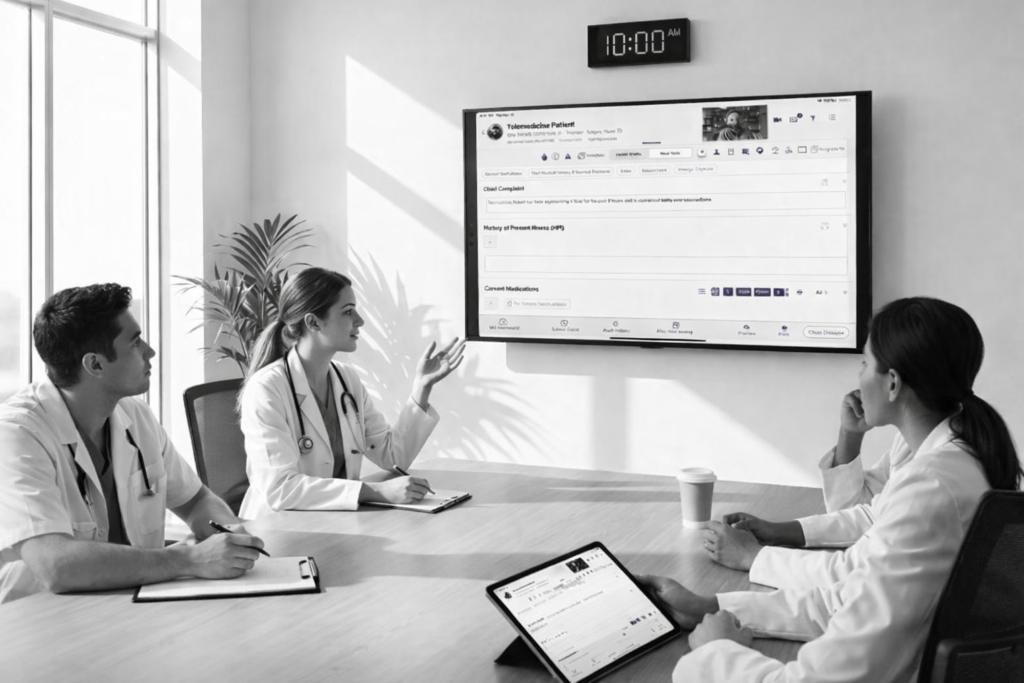
  • Integrated telehealth capabilities
  • HCC coding support
  • RAF score tracking

Providers can access patient records, communicate securely, and complete documentation tasks directly from their mobile device. This mobile-first approach improves workflow efficiency while reducing administrative burden on clinical staff.


Improve Practice Workflow Efficiency with Mobile EHR Messaging

Practice efficiency is critical for managing growing patient populations while maintaining quality care standards.

HIPAA-compliant messaging within a mobile EHR platform helps reduce administrative workload by:

  • Automating patient communication
  • Supporting chronic care follow-ups
  • Improving documentation accuracy
  • Enhancing care team collaboration
  • Increasing patient engagement

By improving communication between visits, primary care and internal medicine practices can deliver better outcomes while maintaining financial performance under value-based care models.

Frequently Asked Questions (FAQ)

What is HIPAA-compliant mobile messaging?

HIPAA-compliant mobile messaging is a secure way for healthcare providers to send and receive messages that may include protected health information (PHI). It uses safeguards such as encryption, access controls, and audit trails to help prevent unauthorized access and support HIPAA compliance.

Can physicians text patients under HIPAA?

Yes, physicians can text patients under HIPAA if they use a HIPAA-compliant messaging solution that protects PHI. Standard SMS texting on personal phones is not designed for HIPAA compliance because it may not provide proper security controls, logging, or administrative safeguards.

Why is secure messaging important for primary care practices?

Primary care practices communicate frequently about lab results, medication questions, appointment reminders, referrals, and chronic condition follow-ups. Secure messaging helps reduce phone tag, improves response time, and protects patient information while improving patient engagement between visits.

Does a HIPAA-compliant messaging system need encryption?

Encryption is one of the most important security safeguards for protecting PHI during transmission and storage. While HIPAA is risk-based (not a single-technology rule), encryption is widely used to reduce risk and support compliance, especially for mobile messaging.

How does mobile messaging improve care coordination?

Mobile messaging helps care teams communicate faster, assign follow-ups, and keep patients informed between visits. It supports better coordination across physicians and staff by keeping communication organized, accessible, and secure—especially when clinical teams are not at the front desk or workstation.

How does secure messaging support Value-Based Care and RAF scores?

Value-Based Care models depend on consistent patient engagement and accurate documentation of chronic conditions. Secure messaging helps practices close care gaps, complete follow-ups, and improve chronic disease monitoring, which supports better documentation and can contribute to more accurate HCC coding and RAF score capture.

Is patient communication inside an EHR more secure than texting?

In most cases, yes. Patient communication inside an EHR can be more secure than standard texting because it can include controls like user authentication, role-based access, audit logs, message retention policies, and encrypted storage—features that typical SMS texting does not provide.

What should I look for in a HIPAA-compliant messaging platform?

Look for security and compliance features such as encryption, user authentication, role-based access, audit logs, administrative controls, and policies that support HIPAA requirements. It should also fit your workflow by making it easy for physicians and staff to communicate from mobile devices without using personal texting.

Previous

RAF Score Explained: Improve Patient Care and...

Next

EHR Data Migration Challenges When Switching EHR...

Switch EHR without data migration cost

Why Physicians Are Switching to AI-Powered EHR Systems

In today’s fast-paced healthcare environment, physicians are under constant pressure to improve efficiency while delivering high-quality patient care. Traditional electronic health record systems often create more administrative burden than value.

This is why many practices are now turning to AI-powered EHR systems that automate documentation, streamline workflows, and reduce physician burnout.

Althea Smart EHR is designed specifically to solve these challenges, helping providers focus more on patients and less on paperwork.


What Makes Althea Smart EHR Different?

Unlike traditional EHR systems, Althea Smart EHR combines artificial intelligence, mobility, and intuitive design into one powerful platform.

It is built for modern healthcare practices that need speed, flexibility, and accuracy.


Key Features of Althea Smart EHR

1. AI-Powered Ambient Charting

Althea Smart EHR uses ambient listening and voice recognition to automatically generate clinical notes in real time.

This significantly reduces documentation time and allows physicians to stay focused on patient interaction instead of typing.


2. Mobile EHR for iPhone and iPad

Designed as a native iOS application, Althea Smart EHR enables providers to access patient records, complete charting, and manage workflows from anywhere.

Mobility is essential for modern practices, and Althea delivers a seamless mobile-first experience.


3. Intuitive and Physician-Friendly Design

The platform is built with physicians in mind.

Simple navigation, minimal clicks, and streamlined workflows make it easy for both providers and staff to use from day one.


4. Integrated Telehealth Capabilities

With built-in telemedicine features, physicians can conduct virtual visits directly within the EHR.

This ensures continuity of care while improving patient access and convenience.


How AI-Powered EHR Improves Clinical Efficiency

AI-driven EHR systems like Althea Smart EHR help practices:

  • Reduce documentation time
  • Improve accuracy of clinical notes
  • Increase patient volume without added burden
  • Enhance care coordination
  • Reduce physician burnout

These benefits translate into better outcomes for both providers and patients.


Top-Rated EHR by Healthcare Providers

Althea Smart EHR has received strong ratings across platforms like Capterra, Software Advice, and GetApp.

Healthcare providers consistently highlight:

  • Ease of use
  • Fast onboarding and training
  • Responsive customer support
  • Immediate improvement in workflow efficiency

Many practices report a smooth transition from legacy systems with minimal disruption.


Why Forward-Thinking Practices Choose Althea Smart EHR

Modern healthcare requires more than just record-keeping — it demands intelligent systems that actively improve care delivery.

Althea Smart EHR combines:

  • AI-powered documentation
  • Mobile-first design
  • Integrated telehealth
  • Workflow automation

This makes it an ideal solution for primary care, internal medicine, and multi-specialty practices.


Ready to Experience a Smarter EHR?

If your current EHR is slowing you down, it may be time to switch to a system built for today’s healthcare environment.

Althea Smart EHR helps you improve efficiency, reduce administrative burden, and focus on what matters most — your patients.

Previous

Transforming Clinical Documentation with Next-Gen AI in...

Next

Things to Look for in a Modern...